
Ocularis Overview
Ocularis is the latest generation Video Management Software (VMS) from Qognify (previously OnSSI). It is designed for the latest IP camera systems, Ocularis provides excellent performance and features for surveillance and security. Take a look at the upgrade path described below.
Ocularis IP camera recording software is designed for Windows computers and records video from IP cameras, and video camera encoders or servers. The solutions range from the Ocularis Professional model to the very sophisticated Ultimate model. A key feature of this software is encryption of the recorded video data, which adds significant security.
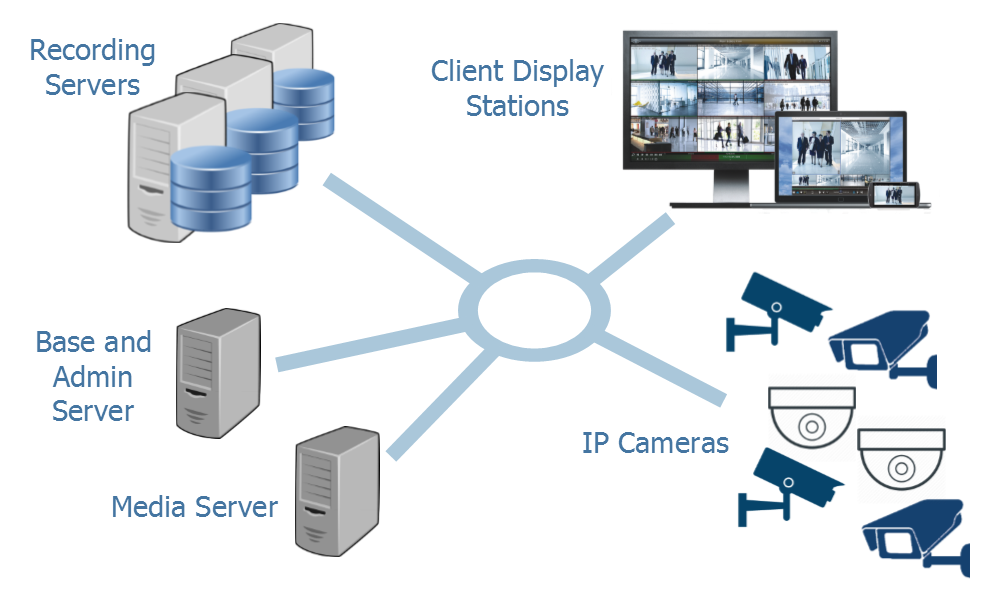
Ocularis represents the latest evolution in IP video surveillance and security software. As an integrated video and event management platform, it includes a full-fledged video management system for streaming, recording video and managing an unlimited number of IP cameras at multiple sites. It can also be integrated with IP door access control systems and other network attached devices using the C2P software module.
Ocularis’ straightforward work-flow provides a collaborative environment in which video and alerts from across the organization are converted into meaningful events, for efficient shared handling and building a video-evidence case file.
All these software products include the ability to view cameras on multiple workstations on the network or over the Internet using Ocularis Client software or a web browser. The servers all run as an application or a service, and support computers with multiprocessors.
Common Features and Functions of Video Recording Software
There are many features available from all the versions of the video management software solution. The features provide very sophisticated control and management of all the cameras. One feature that is not available from any other video recording system is the ability to add the smartphone camera as another camera in your system.
Mobile Viewing and Mobile Camera
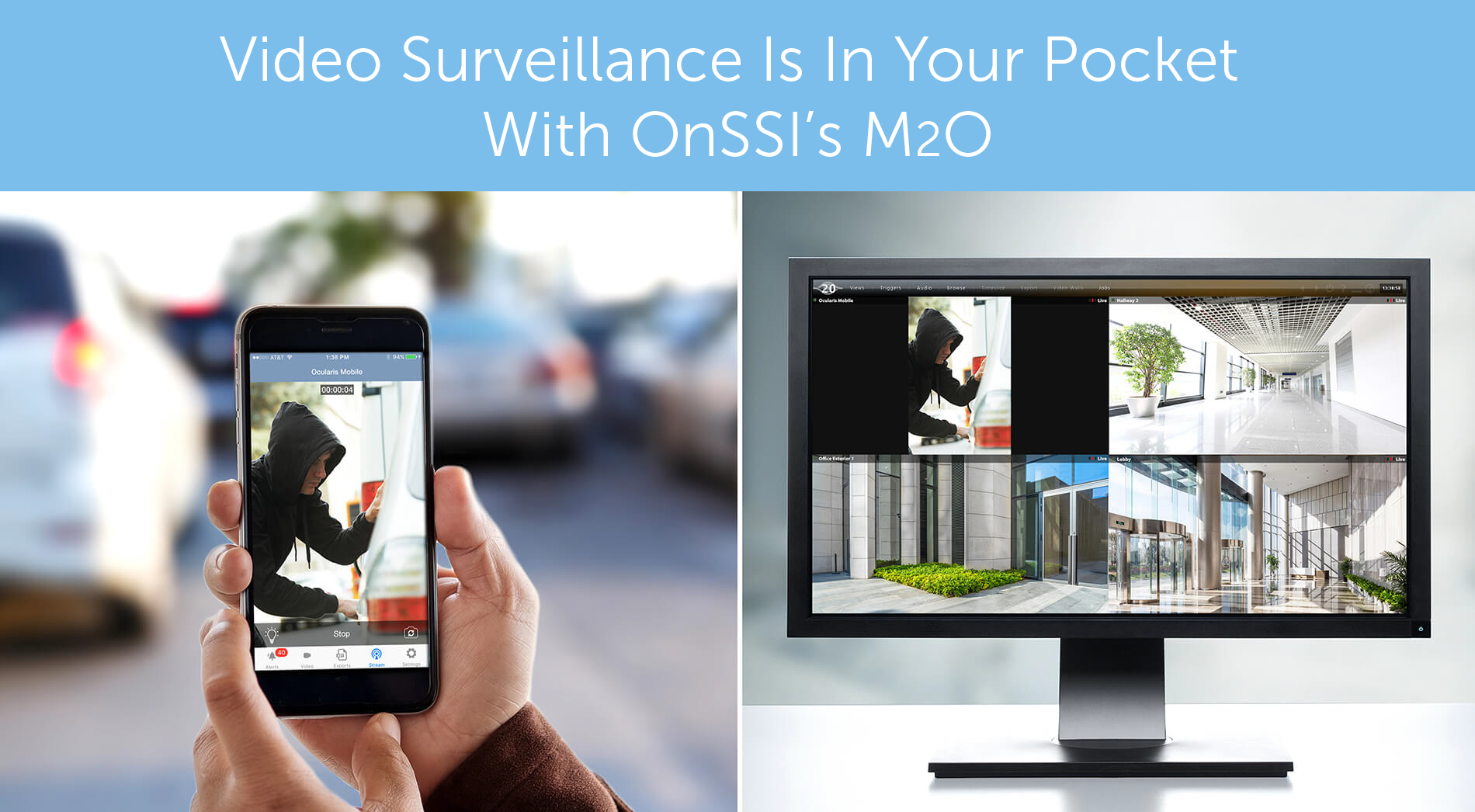
The mobile app not only allows you to view all the camera on the network, it also allows you to turn your smartphone into another camera on your surveillance system. This adds the capability to record live situations wherever there is a person with a smartphone.
Many police departments use body-cams to help record their interactions with the public. These systems usually record the video to onboard storage, but the new Mobile-to-Ocularis feature provides a continuous video stream to the command center. This allows the security command center to keep in constant video contact with the responding officer.
More Common Features:
- Critical Camera Failover
- If the video is interrupted from one camera, the second camera can be designated to view the critical area
- Ocularis Event Fusion that filters events to reduce false alarms
- Superior data handling provides load balancing across HD storage
- Event-based evidence is automatically retained, while the noncritical video is erased
- Stream live video from Android smartphone to recording server. M2O means Mobile to Ocularis
- Highly intuitive, touchscreen-optimized interface with multi-screen support.
- Map-based navigation of cameras, camera views, and carousels, with preview windows and local video walls.
- An unlimited number of views consisting of panes for cameras, smart carousels (w/ sequence controls), hot-spots, web/image (HTML) and alerts. Private view configuration (through the Client) or shared views pulled from Ocularis Base.
- Interactive overlay controls (IOC) for instant investigation including playback, digital and optical PTZ, PTZ presets, and 360-degree lens parsing.
- Pane menu control for changing cameras on the fly, clear pane, copy to clipboard and manual push video alert.
- Triggering of I/O connected devices (via camera I/O, Adam 6050 Series module or 3rd party integrated system)
- Auto-detection of cameras
- Support for MJPEG, MPEG4, H.263, H.264 as well as ONVIF & PSIA standards
- Supports web-based video viewing
- Interactive overlay controls for instant investigation during live monitoring
- Active Directory support
- Export evidence: annotated still image report, JPEG set, annotated AVI
- Forensic investigation tools: synchronous browsing, motion-zone Kinetic Timeline, TimeSlicer tool-set
- Automated update service checks for updates and distributes as required
- End to end system security provides data encryption from camera to server
Models of Ocularis
Ocularis Professional
Scalable video management for small to medium single- and multi-site applications
- Centrally manage camera views, events, and operator user rights
- Advanced investigation tools provide fast access to incidents
- Built-in, multi-level maps allow you to easily navigate your system
- Receive analytics and smart alerts from cameras and recorders
- Camera-based motion detection and server-based motion detection with ability to designate areas for motion alarms
- On-demand or scheduled video exports from mobile or remote locations
- Get closer to prevention™ with advanced alerts from third-party integrations for video analytics, facial recognition, access control, POS, ATM, LPR, and more
Ocularis Enterprise
Surveillance for locally managed or centrally managed mid- to large-scale installations
Includes all the features of Ocularis Professional plus:
- Unlimited cameras per server allow for greater scalability and density
- Failover and redundancy for data protection
- Centralized recorder management for easier configuration with advanced system monitoring capabilities
- Unlimited desktop, web, and mobile clients
Ocularis Ultimate
Video management with failover and redundancy for large and demanding environments
Includes all the features of Ocularis Enterprise plus:
- OpenSight™ allows other Ocularis systems to easily share their cameras and events for quicker response from off-site law enforcement.
- Edge recording provides network failure backup
- Video Aging for efficient long-term storage
- Enhance collaboration by sharing your display with remote operators with VideoWall
Ocularis Upgrade Path
Purchase “StayCURRENT” and you can upgrade to the latest software. Here are some of the additional features and functions provided by the latest Ocularis VMS.
Old Version |
Upgrade Version |
Highlights |
|---|---|---|
| Ocularis PS | Ocularis Professional or Ocularis Enterprise | IP camera recording software for small to medium systems. Up to 128 cameras per server. New version provides centrally managed camera views, events, and user rights. Integrates with other security applications. Real time recording (with “archiving”), camera failover. 10 concurrent clients with Professional, unlimited clients with Ocularis Enterprise. |
| Ocularis IS or CS | Ocularis Enterprise | No software limit on number of cameras per server. Utilizes a core master and multiple recorders to support very large numbers of IP cameras. Fully redundant recorder manager without using clustering, Case builder with bookmarking |
| Ocularis LS or ES | Ocularis Ultimate | Adds Video Aging for long term storage, automatic edge recording retrieval after network disconnect. Automatic failover of recording servers. |
Learn more about: Legacy Ocularis VMS | More Video Management Software
Hardware System for Ocularis Video Recording Software
What type of computer do you need to support the video management software? It depends on the number of cameras, resolution of the cameras, frame rate, type of compression, and the length of time you want to store the video.
As you can see it can get complicated so it’s best to contact us for assistance. Just to provide some idea of the computer resources needed, here is an example:
Ocularis VMS requires a number of computers. In some cases the special software processes can be run in the same computer, but it depends on the total number of cameras in the system.
To determine your exact computer requirements please contact us, so we can review all the variables that determine the capacity.
Resources for Video Recording Systems
The following resources can be used to help you understand the technology. Contact us for help with your system. Our engineers will make sure you get the exact system you need.
Technical Articles and Application Notes
Buyers guide and comparison chart of Video Management Software compared to NVRs and Cloud video recording services.
Review: What to look for when selecting the software for your IP Cameras.
This white paper starts with your application and then tells you what to look for in the software.
How to select the right IP Software
Why do I need software with my IP camera? All I need is a web browser to view IP network cameras on my PC. I can even control a pan, tilt and zoom (PTZ) camera. Well yes, but surveillance usually requires more than just real-time viewing, you also need to store the video, view multiple cameras, be notified about alarms, etc. This article helps you understand the various NVR software products available.
Kintronics Technology Notes Newsletter:
If you would like to receive our technical newsletter, just fill out the contact form.
Technical White-paper
How to Create the Complete Safety and Security System. This white-paper describes how to make your world safer by integrating IP camera systems, access control and emergency paging systems.
Blogs
Our Blog includes articles about how technology works, and how technology is used. It also includes some funny technical cartoons and jokes that should brighten your day.
Technical Videos
These videos provide an overview of the IP connected technology. Take a look at our latest video describing the IP camera system components and setting objectives. More…
Technical Support
IP camera recording systems can be complex because they include many different components that have to work together. Kintronics is a resource for engineering and integration of all your security projects. We can design your complete system so don’t hesitate to contact us for assistance.
After purchasing your system we make sure that it works exactly the way you expect. You can contact us for help with your installation and any technical support you may need.
We provide technical support and warranty support. Contact us at 1-800-431-1658 or 914-944-3425 whenever you need assistance.